
What can AI product photography do for a Shopify store?
sameface creates new product images from a product you select in your Shopify catalog. You choose the setting and whether an AI model appears in the image. A studio background can keep attention on a sweater; a café scene can give the same item a lifestyle setting. Product-only scenes are an option for items that do not need a person.
It is useful when you want to explore more looks from an existing product photo and keep the work in Shopify. It does not measure garments, verify materials or prove how a product fits a real customer. Keep accurate original photography available and compare each generated image before using it.
How to create and publish a product photo
- Choose the catalog product. Start with a clear source image. Check that the item is fully visible and that colors, logos and small details are readable.
- Choose your look. Pick a ready-made or custom setting. Use a saved model reference for a photo with a person, or choose a product-only scene.
- Review the price and generate. Photos cost $0.08 USD each after the available free-image allowance. Paid generation requires Shopify usage approval.
- Compare, then publish. Check the output against the source. Publish the results you choose; they are added beside your existing product media.
See the same product in two settings
These existing examples use a synthetic ivory sweater and the saved Maya model reference. Compare the studio and café images, then change products and settings in the free interactive demo.
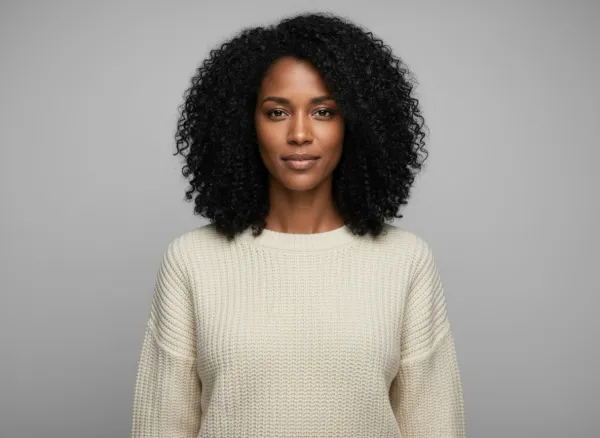

What should you check before publishing?
Look closely at logos and lettering, fabric patterns, color, buttons, seams and the outline of the item. For a photo with a person, also check hands, contact with the product and whether the displayed fit could misrepresent it. A repeated face reference does not guarantee an identical face or unchanged product details.
Use the original photo as your comparison, rather than another generated image. If an output changes an important detail, leave it unpublished. The app does not automatically replace the original photos in your product gallery.
Questions merchants ask
Can I generate a product image without a person?
Yes. sameface supports product-only scenes as well as images with a saved AI model. Choose the format that helps a shopper understand your product.
Is the website demo a live generation tool?
No. The demo displays existing synthetic examples. It does not access your store, create new media or make a charge. Install the Shopify app to work with your own catalog.
How much do product photos cost?
Each generated image is $0.08 USD. New merchants receive 15 free images; model portraits and generated scene previews also count, and a free image that fails does not use up one of your fifteen, at most fifteen times. Paid photos are charged after they are made, and there are no refunds. See the full pricing explanation.