Bring the product.
Select from your Shopify catalog. Start with a clear product photo so the details you care about have a reference.
Your catalog, already connected
sameface makes AI product photos from the photo already on your Shopify product page: new scenes, model photos with a face you lock as the reference, and short product videos. 15 free images, then $0.08 each, no monthly fee.
From the same photo, a 3D product view too: Shopify shows it in its viewer and in AR, $1.50.

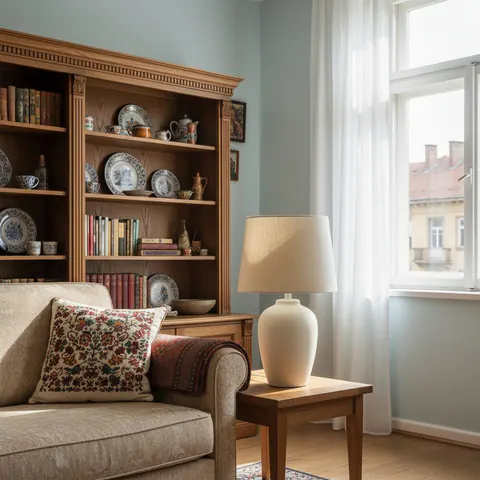
A real packshot from the demo store, and a scene generated from it.
AI photos, model shots and videos from one photo
You choose what goes live
3D product views in Shopify's viewer and AR
Watch, 38 seconds
New scenes, AI model photos and a short product video, made in the sameface app inside the Shopify admin.
Meet sameface
sameface is a Shopify app for AI product photography, AI model photos with a face you lock as the reference, clothes on an AI model for apparel stores, and five- or ten-second product videos, made from the photo already on your product page. It also makes a 3D product view Shopify shows in AR. You choose which results to publish.
$0.08 USD per image15 free images for new merchants, and short clips from $0.70. See all prices and conditions.
You review every resultAI can change details. Publishing is your decision.
$1.50 USD per 360 viewA 3D model Shopify turns on the product page and, on phones, places in the room. The back is drawn from the front photo, so it suits simple shapes like lamps, vases and mugs. Check it before you publish.
Photos and clips
Photos are the easy way in: the first 15 are free.
Switch the scene. Try a clip. See what changes.
 Your creative studio/Demo
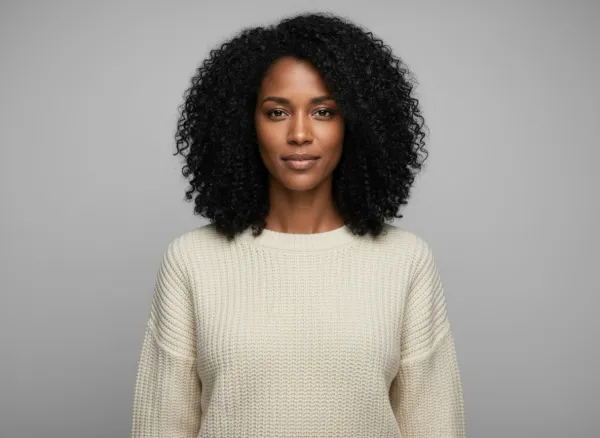
 Model: MayaHer face is the locked reference for each scene

We couldn’t load this sample. Try another scene or reload the page.
$0.08 USD / image
Try another scene.
The reference stays the same.
Showing an existing sample. Exploring this demo is free.
These are pre-rendered examples with synthetic products and an AI model. Results vary. This demo doesn’t generate media or access your store.
From catalog to campaign
Your products are already in Shopify.
Your creative process can be there, too.
Select from your Shopify catalog. Start with a clear product photo so the details you care about have a reference.
Pick a 360 view, a photo or a clip. For photos and clips, choose a setting and an AI model, or let the product stand alone. Save a look to come back to.
Compare the result with your original. Publish the ones you choose beside the photos already in your product gallery.
With a face, or without
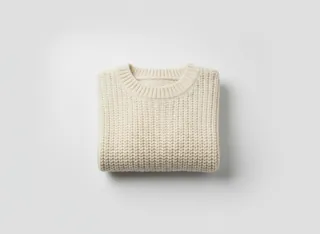
A new knit. A daily ritual. Something for the home. Build a scene around what you sell, with a model or just the product.
Find a look in the demoAI can change product details. Always review before publishing.

A clear price for every shot
Start with 15 free images. Then pay as you go, through Shopify.
No monthly base fee. No credit bundles.
Product photography
A new scene, with your model or just your product.
Put a chosen photo in motion. You choose the movement.
Short video Best quality
Choose the app’s best-quality clip model for your next video.
360 view 3D and AR
A 3D model of your product from one photo. Shopify shows it on the product page and in AR.
You approve the spend. Paid generation needs Shopify usage subscription approval, with a default USD $100 cap. The cap is a limit, not a payment.
About the free images. New merchants receive 15. Model portraits and generated scene previews count too. A free image that fails does not use up one of your fifteen, at most fifteen times. Paid photos are charged after they are made, and there are no refunds. Videos, their prerequisite stills and 360 views are paid.
sameface is a Shopify app for creating product photos, photos with an AI model, short product videos and 360 views. Choose a product from your catalog and a format; for photos and clips, a setting and an optional AI model too. Review the price, generate, then choose which results to add to your product gallery.
A 3D model of your product, made from the photo already on your product page. Shopify shows it on the product page in its own viewer, and on a phone the shopper can place it in their room with the AR button. The back is drawn from the front photo, so it suits simple shapes like lamps, vases and mugs; check it against the real product before you publish. A 360 view costs $1.50 USD and is not part of the free images.
Each shot with a saved model starts from the same locked face reference. AI can still change facial details, product details and fit, so consistency is not guaranteed. Compare every result with your original before publishing.
Yes. Create product-only photos and clips as well as shots with a model. Pick a setting that suits your product, from a clean studio to a tabletop or an outdoor scene. The interactive demo above shows the model option.
New merchants receive 15 free images. Product photos, model portraits and generated scene previews use that allowance. A free image that fails does not use up one of your fifteen, at most fifteen times. Paid photos are charged after they are made, and there are no refunds. Videos, the new photos required for them and 360 views are paid.
There is no recurring base fee. Before paid generation, you approve a Shopify usage subscription with a default USD $100 spending cap. See the price before each run and pay through Shopify. The cap is a limit, not an upfront payment. Prices are in USD.
No. You review the results and explicitly choose what to publish. Selected media is added beside your existing product photographs, without replacing them. Generated media is stored in Shopify Files.
This website lets you explore existing examples without signing in. Install sameface in Shopify to select your own catalog products, choose a model and generate your own photos and clips.
A useful place to start
Choose a reference, compare a studio and lifestyle look, and check the details before publishing.
Explore AI product photography ↗ AI model photosUnderstand locked face references, what can stay consistent, and what still needs your review.
Explore AI model photos ↗ ApparelFrom a flat-lay or packshot to studio and lifestyle photos, and why it is not a shopper try-on.
Explore AI fashion model photos ↗ Product videoSee a real sample and compare five- and ten-second clip prices, including a new source photo.
Explore product videos ↗ 3D product viewWhat Shopify shows in its viewer and in AR, which shapes suit it, and the $1.50 price.
Explore the 3D product view ↗ JewelryWhat works for pendants, rings and hoops, and what to check before publishing.
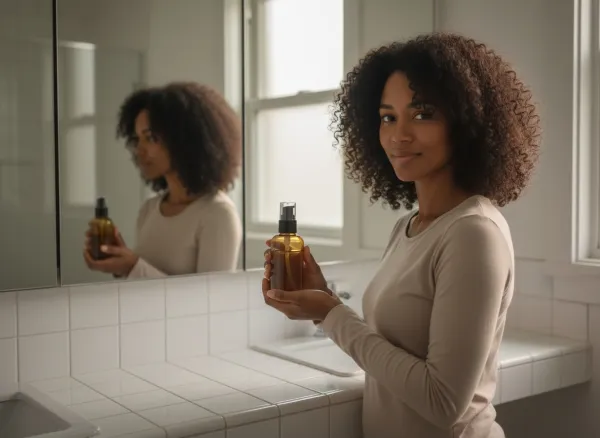
SkincareMarble counters, mirrors and hands, from the packshot you already have.
Home and furnitureA lamp in a living room, and a 3D model Shopify shows in AR.
FootwearOn-foot photos and a mirror try-on, without a shoot.
ComparePricing model, scope and publishing, side by side, with dates.
Switching appsThey are no longer on the Shopify App Store. What sameface does for the same jobs, and what it costs.
Your next creative session
Install sameface on Shopify. No monthly fee; you approve every paid run.
Add sameface to Shopify Or explore the demo first